Branched Circle Bullet Infographic: A Flexible Design Tool for Visual Communication
Understanding the Branched Circle Bullet Infographic
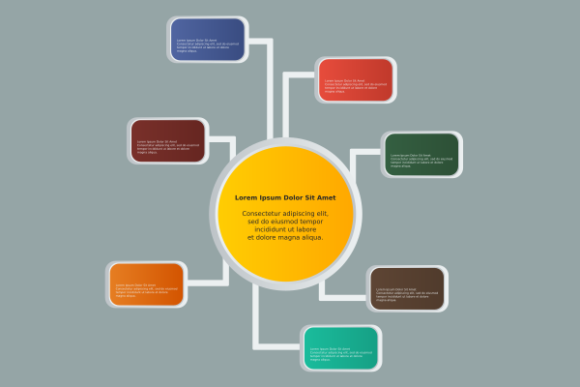
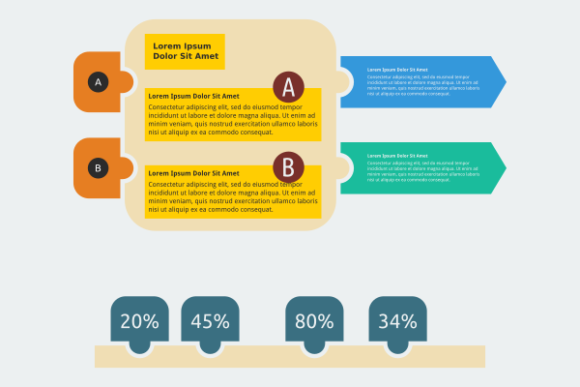
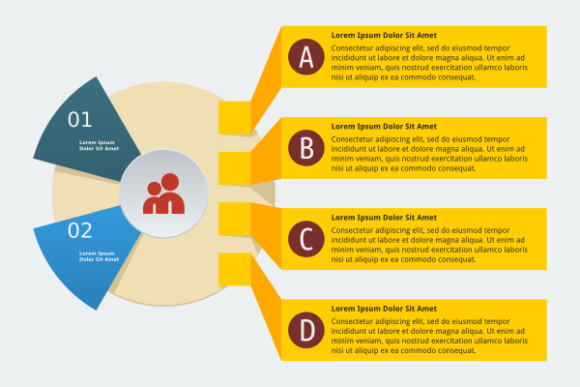
The Branched Circle Bullet Infographic is a versatile visual framework designed to help users illustrate relationships, processes, or hierarchical structures in a clean and organized way. At its core, it features a central circle connected to multiple branches, each representing a key point, category, or sub-topic. This layout supports clarity and logical flow, making it ideal for presentations, reports, marketing materials, and educational content.
What sets this template apart is its balance between structure and adaptability. Whether you're mapping out a business strategy, explaining a multi-step process, or showcasing key features of a product or service, the branched circle format allows you to present complex information in a digestible visual format. It’s particularly effective when used to highlight cause-and-effect relationships, decision trees, or any content that benefits from a radial, interconnected layout.
Key Features and Design Strengths
This infographic template is delivered as an editable SVG vector file, which means it scales without loss of quality and can be customized using software like Inkscape, Adobe Illustrator, or other vector editing tools. Along with the SVG version, users also receive EPS, PDF, and high-resolution PNG files, ensuring compatibility across different platforms and use cases.
- High-quality vector format ensures sharp visuals at any size
- Editable structure allows for easy customization of colors, text, and layout
- Multiple file types included for print, web, and presentation use
- Scalable design works well in both small and large formats
The branched layout supports a logical visual hierarchy, helping viewers absorb information in a natural, intuitive way. Each branch can be labeled, color-coded, or styled differently to match brand guidelines or thematic needs. This level of customization makes the Branched Circle Bullet Infographic suitable for a wide range of professional and creative applications.
Practical Uses Across Industries
Professionals in marketing, education, business development, and data visualization can all benefit from incorporating this template into their work. For example, marketers may use it to outline customer journey stages or campaign components, while educators can use it to explain learning objectives or curriculum structure. Entrepreneurs might apply it to business models or product development pipelines, and designers can integrate it into larger visual reports or dashboards.
Its adaptability makes it especially useful in environments where clarity and visual engagement are critical. Whether you're preparing a slide deck for a client presentation, creating an infographic for a blog post, or designing a poster for a conference, the Branched Circle Bullet Infographic offers a clean, professional foundation that can be tailored to your specific needs.
Usability and Editing Experience
For those familiar with vector editing software, the SVG format provides a smooth and efficient editing experience. Inkscape, a free and open-source vector graphics editor, is recommended for making adjustments, especially for users who want to avoid commercial software costs. The layers are typically well-organized, allowing users to quickly modify individual elements such as text, colors, or connection lines.
Even if you're not a design expert, the structure of the Branched Circle Bullet Infographic is intuitive enough to allow basic customization with minimal learning curve. Users who prefer working with raster images can rely on the high-resolution PNG version, which maintains clarity even when scaled for print or digital use. The PDF and EPS formats are ideal for professional printing or inclusion in documents that require vector fidelity.
Visual Presentation and Long-Term Value
One of the most valuable aspects of this template is its timeless design. Unlike trend-driven layouts that may become outdated quickly, the branched circle format is rooted in classic information design principles. This ensures that content created with this template remains visually relevant and effective over time.
From a presentation standpoint, the layout supports a clean and professional aesthetic. Whether used in a formal business report or a social media graphic, the Branched Circle Bullet Infographic communicates structure and intentionality. It helps viewers focus on the content rather than getting distracted by overly complex visuals or inconsistent formatting.
Who Benefits Most from This Template?
Professionals who regularly create visual content—such as marketers, educators, project managers, and content creators—will find the most value in this template. It’s particularly useful for anyone who needs to convey interconnected ideas in a visually engaging way without spending excessive time on design from scratch.
Small business owners and freelancers may appreciate the time-saving aspect of using a pre-designed, editable template that still allows for full customization. Bloggers and publishers can integrate it into long-form content to break up text and enhance readability. Educators and trainers can use it to summarize complex topics or map out learning paths.
Limitations and Considerations
While the Branched Circle Bullet Infographic is highly adaptable, it’s not a one-size-fits-all solution. Users with highly specific design requirements or unconventional data structures may need to make extensive modifications or consider alternative layouts. Additionally, those unfamiliar with vector editing software may initially find the customization process a bit daunting, although the learning curve is manageable with basic tutorials.
It’s also important to consider the visual tone of your project. The branched circle layout works best for structured, logical presentations. If your content leans more toward abstract or artistic expression, this template may feel too rigid for your intended use.
Final Thoughts on the Branched Circle Bullet Infographic
For professionals and creators who need a reliable, editable, and visually effective layout, the Branched Circle Bullet Infographic offers a strong foundation. Its combination of flexibility, quality, and usability makes it a practical asset for a wide range of projects. Whether you're simplifying complex information or enhancing a presentation, this template supports both clarity and creativity.
If you're looking for a scalable, customizable visual tool that aligns with modern design standards and integrates smoothly into your workflow, the Branched Circle Bullet Infographic is worth considering. With the right application, it can elevate your content and help you communicate more effectively with your audience.